Your Mac, your layout
Create a map of Spaces you can navigate.
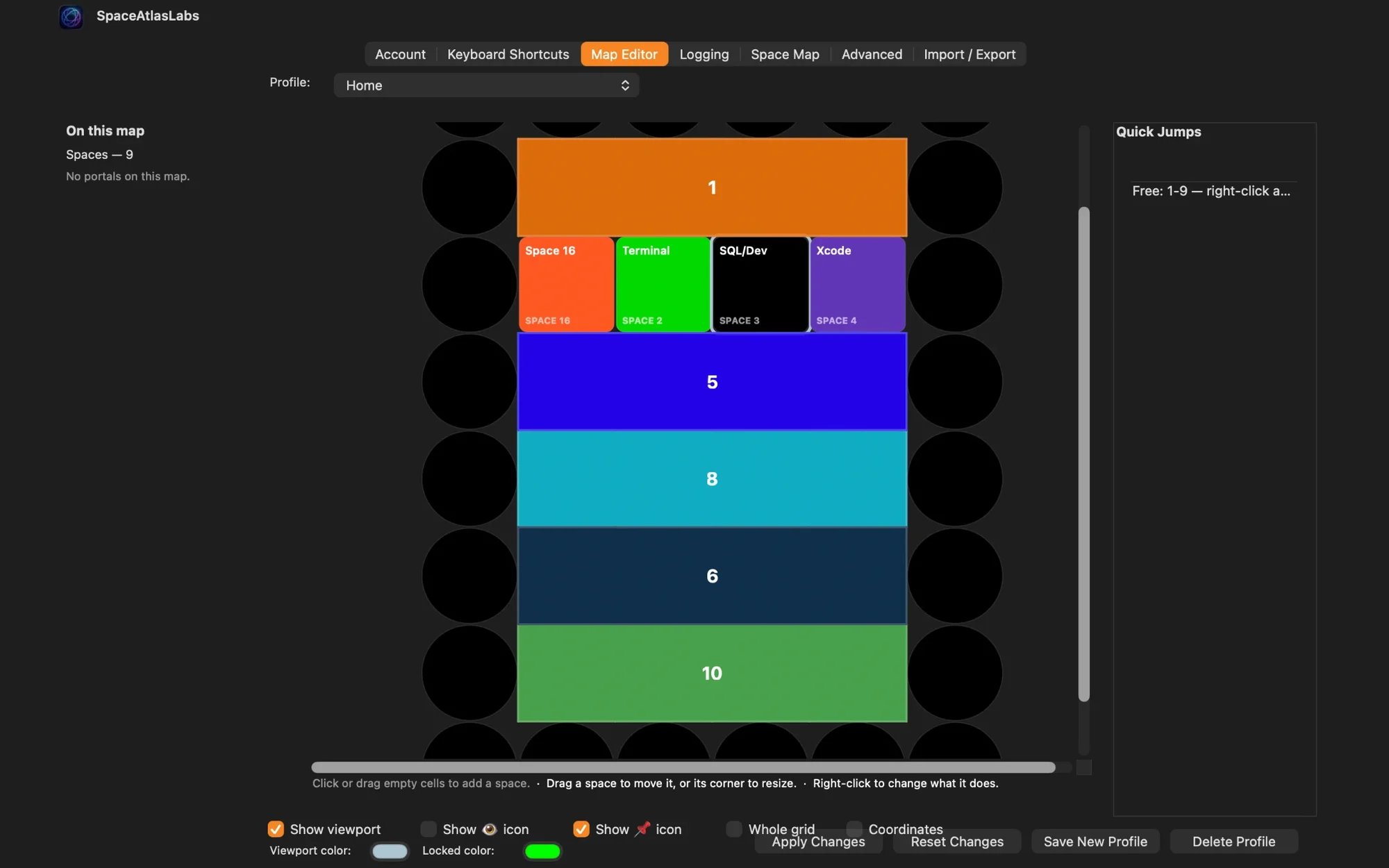
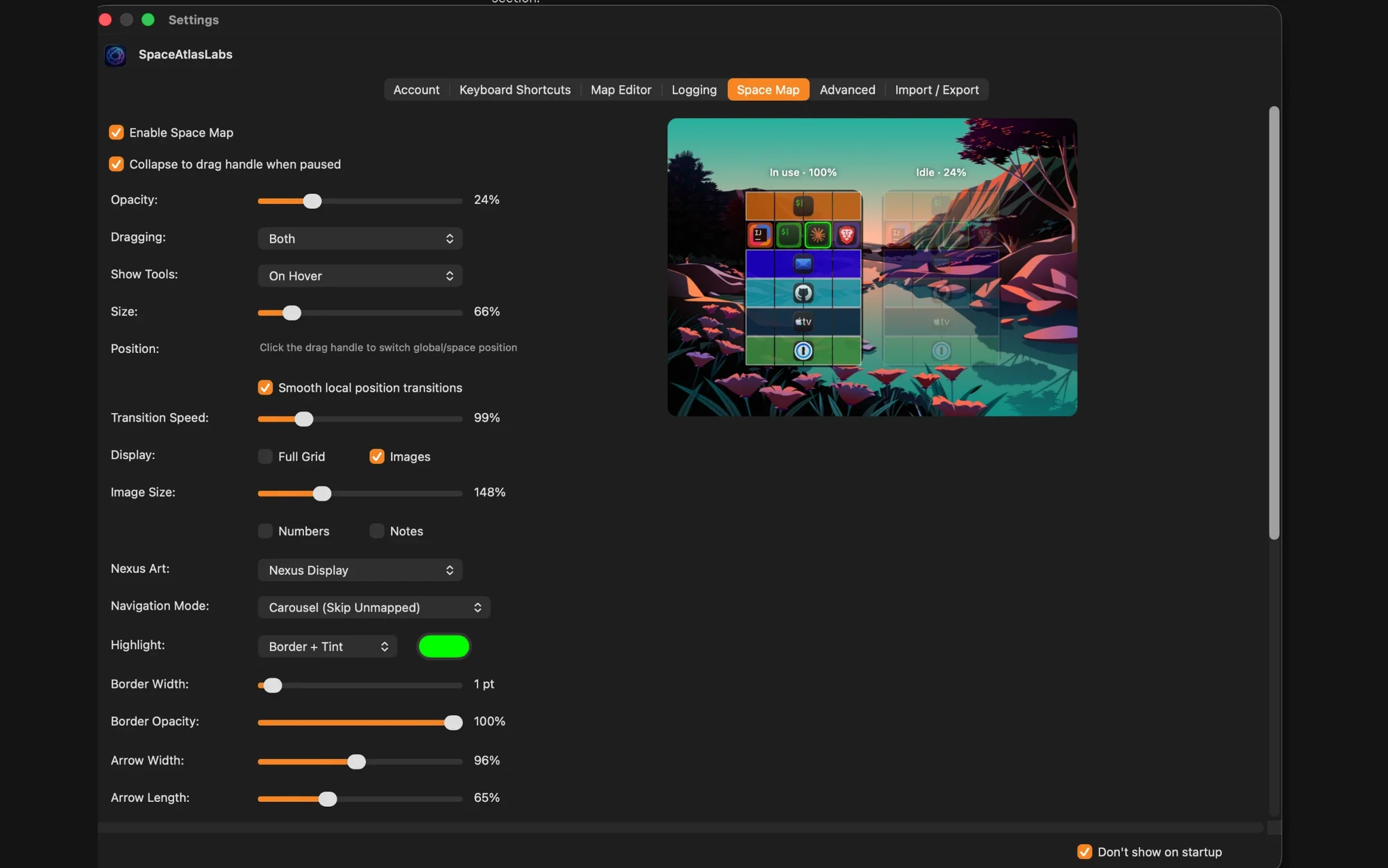
SpaceAtlas gives you virtual Spaces that act like Mac Spaces, laid out on a grid, so every Space is exactly where you expect it.
A real custom layout
The Space Map on screen
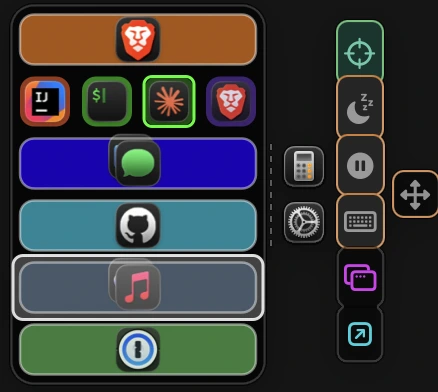
Move up, down, left, or right — not through a fixed macOS list.
See it in action
Watch the demo
Why it feels better
A personalized way to move through your work
Give each window a home on one or more Spaces. Move in any direction. Save profiles and come back to the same setup, even after a restart.
Layout control
Map Spaces like a grid, not a list
Put your browser above your editor, your work tools to the right, and your communication tools below. The layout follows your own logic, not macOS defaults. Save different arrangements as profiles and set your own shortcuts.
Directional speed
Move in the direction you think
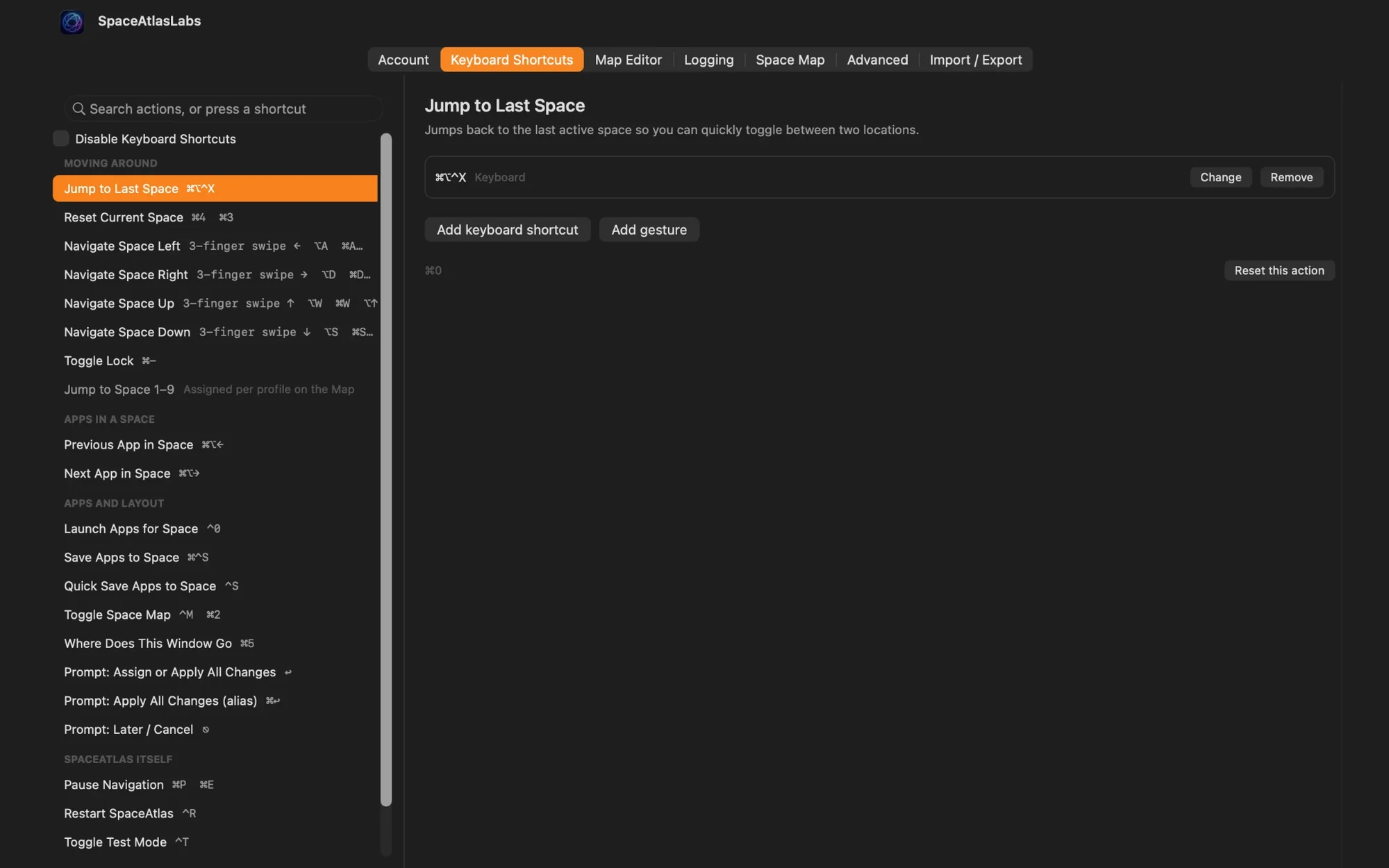
Use keyboard shortcuts to move up, down, left, and right based on the layout you built. You can also jump straight to any Space, switch profiles instantly, or use wormholes and nexuses for even faster movement — all covered in the documentation.
Setup memory
Stop searching for Apps
Tell SpaceAtlas once where each window belongs. Apps stay on their Spaces even after you quit them, so your setup looks the same every time you sit down.
See SpaceAtlas in Action
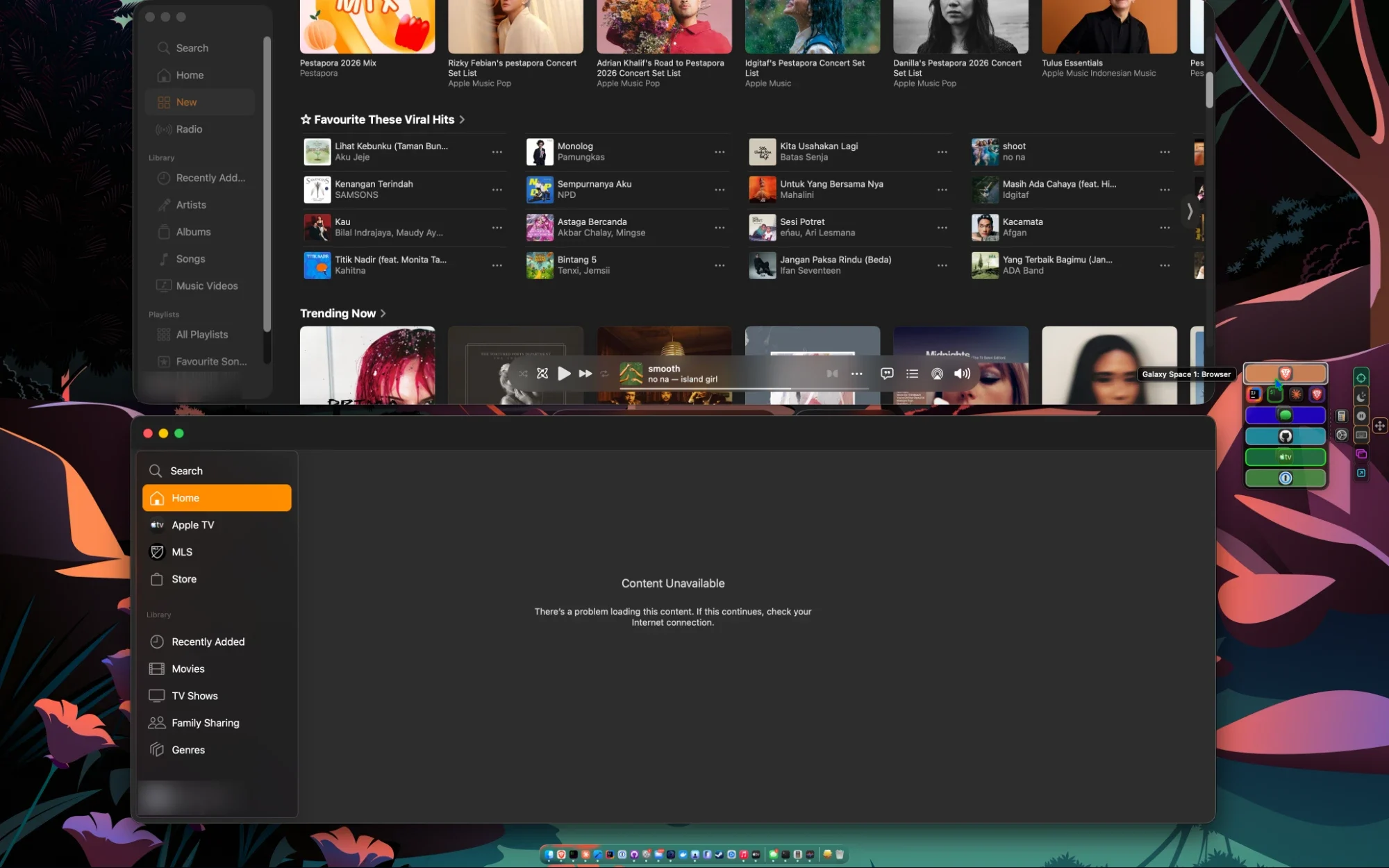
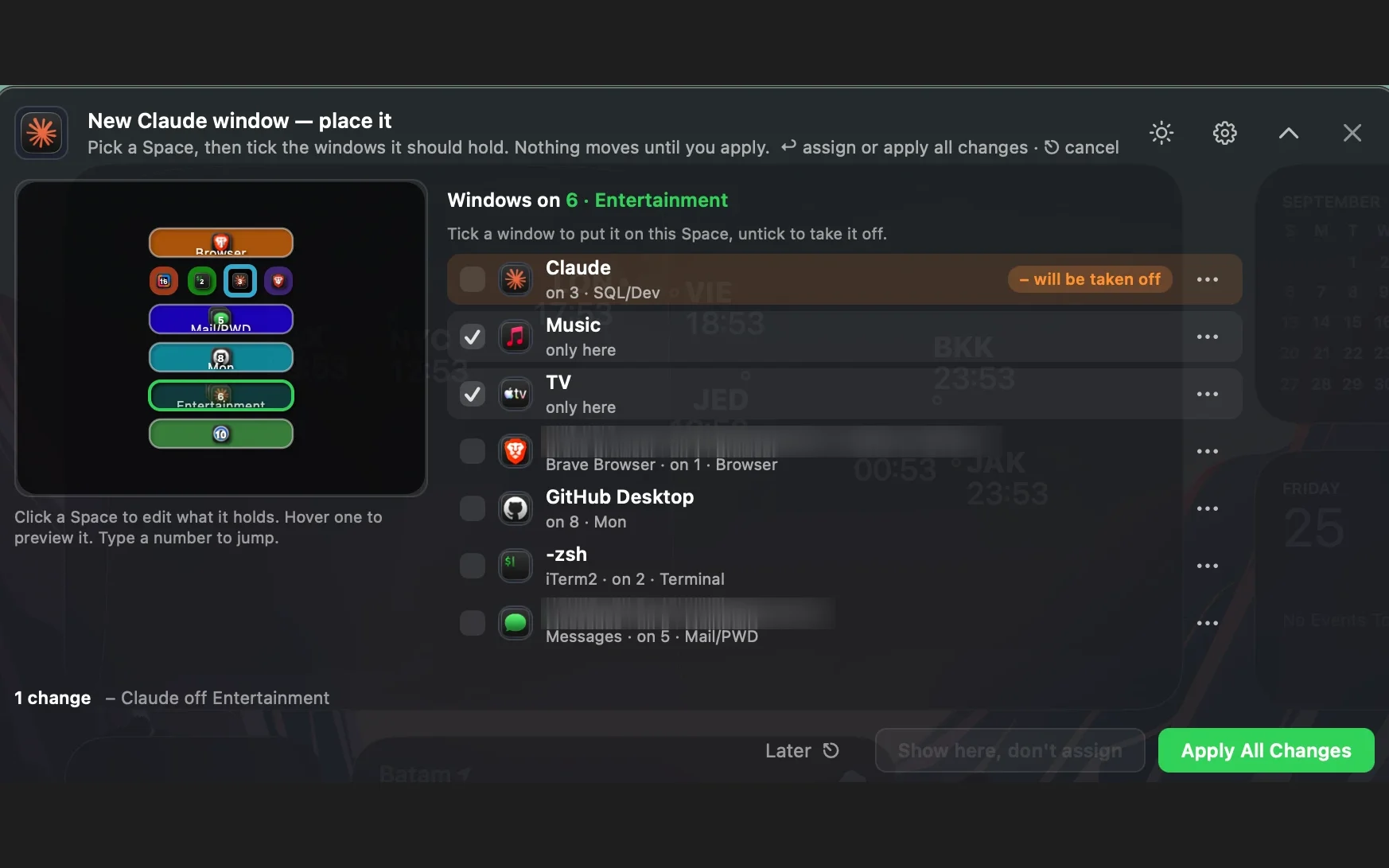
How it works
A calmer way to work
Stop trying to remember where everything is. SpaceAtlas turns a pile of open apps into an organized grid you can navigate without thinking.
Place each app where it belongs
Build a grid for focused work, communication, review, or personal projects.
Move through the layout with shortcuts
Jump to the next Space by direction instead of cycling through a fixed macOS list.
Pick up where you left off
Profiles and app assignments bring your workspace back to the same layout after a restart.
Try it free
Stop searching for apps
one-time purchase. Includes of updates after a -day free trial.